

Feedback loops are essential for software teams to improve products and processes. Here’s what you need to know:
- Feedback loops are cycles of getting input, using it to improve, and repeating
- They help teams solve problems faster, create better products, and keep customers happy
- Two types: positive (amplify successes) and negative (fix issues)
Key steps to set up effective feedback loops:
- Collect feedback (e.g., in-app surveys, team meetings)
- Analyze and prioritize input
- Act on insights
- Communicate changes
- Monitor results and adjust
Tips for success:
- Make giving feedback easy
- Act quickly on input
- Follow up with users
- Use both quantitative and qualitative feedback
- Regularly review and improve your feedback system
| Feedback Type | Focus | Goal | Example |
|---|---|---|---|
| Positive | Strengths | Boost success | Expand popular features |
| Negative | Weaknesses | Fix issues | Repair reported bugs |
By implementing these strategies, software teams can catch issues early, improve quality, and increase customer satisfaction.
Related video from YouTube
Types of feedback loops
Feedback loops in software teams come in two flavors: positive and negative. Each type helps improve products and processes in its own way.
Positive vs. negative feedback loops
Positive feedback loops boost what’s already working well. They create a cycle of improvement that feeds itself. Here’s an example:
Users love a new feature → Team puts more resources into it → Users become even happier
Negative feedback loops fix problems. They keep systems stable by addressing issues that users or team members point out. For instance:
Users complain about a buggy interface → Team fixes it → Fewer complaints, more stable product
| Loop Type | Focus | Goal | Example |
|---|---|---|---|
| Positive | Strengths | Boost success | Expand popular features |
| Negative | Weaknesses | Fix issues | Repair reported bugs |
Parts of a good feedback loop
A solid feedback loop, positive or negative, has five key parts:
1. Input: Get info from users, team members, or stakeholders
2. Process: Look at the data to spot patterns or issues
3. Output: Come up with a plan based on what you found
4. Feedback: Make changes and let people know
5. Adjustment: Keep an eye on results and tweak as needed
To put these parts into action, software teams can:
- Set up clear ways to collect feedback
- Use surveys or in-app feedback buttons
- Meet regularly to talk about feedback
- Create a system to prioritize and act on feedback
- Track key metrics to see how changes are working
Setting up feedback loops in software teams
Want to improve your products and processes? Set up feedback loops. Here’s how:
Clear communication channels
Make feedback easy:
- Slack for quick daily input
- In-app surveys for user feedback
- Dedicated email for stakeholders
Regular feedback meetings
Keep teams aligned:
- Daily standups (15 minutes)
- Sprint reviews (show work, get feedback)
- Retrospectives (discuss improvements)
Add feedback to existing processes
| Process | How to add feedback |
|---|---|
| Code reviews | Feedback section in PR templates |
| QA testing | Feedback form with each test case |
| Sprint planning | Quick feedback round from last sprint |
These loops help catch issues early. Take Sprig, for example. Their in-product surveys got a 30% response rate – way better than the usual 5% for online surveys.
Tips for effective feedback loops
Here’s how to create useful feedback processes in software teams:
Open communication
Build a team culture that welcomes honest feedback:
- Create a safe space for sharing ideas and concerns
- Ask open questions and listen carefully
- Thank developers for their input
Mix positive and constructive feedback
Balance different types of feedback:
- Use the "Sandwich" method: good, improve, positive
- Aim for 3:1 positive to constructive ratio
- Base feedback on facts, not guesses
Timing matters
Choose the right moment for maximum impact:
- Give feedback promptly while context is fresh
- Use one-on-ones for private discussions
- Let team members choose when they’re ready
| Feedback Type | Best Practices |
|---|---|
| Positive | Be specific, link to goals, give in public when appropriate |
| Constructive | Private, actionable suggestions, focus on behavior |
| Immediate | Address quickly, keep brief, follow up with notes |
| Scheduled | Prepare points, allow discussion time, set next steps |
Brad Kendrick, VP of IT at Texas Life, says:
The developer and a business person can sit together, bounce ideas off each other, build workflows, design and easily hone applications on-screen — innovating without getting stalled by technical detail.
Tools for collecting feedback
Gathering feedback is key for software teams. Here are some effective tools:
In-app surveys and feedback buttons
Put feedback tools right in your software. Users can share thoughts while using the product. It’s like getting real-time insights.
Refiner is great for in-app micro surveys. It grabs user opinions as they use features. This gives you context for making your product better.
User testing sessions
Watch people use your software. It’s eye-opening. Usertesting lets you do live customer interviews and usability tests. You’ll see firsthand how users interact with your product.
Sprint reviews and team discussions
Don’t forget internal feedback. Sprint reviews let team members and stakeholders share ideas and talk about improvements.
Using BugSmash for feedback
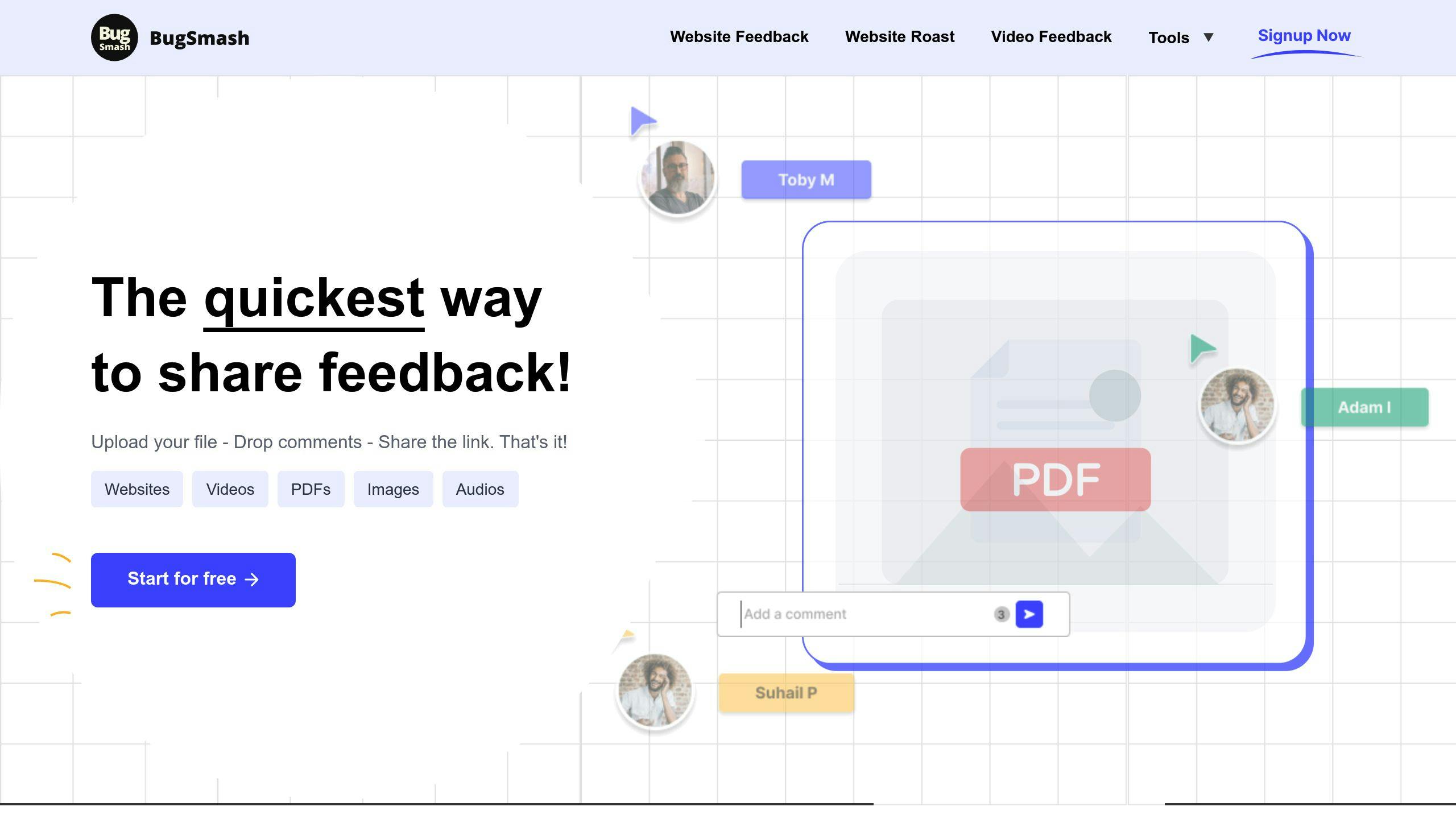
BugSmash makes collecting feedback easy. It works for websites, mobile apps, videos, and PDFs. Here’s what it does:
| Feature | Benefit |
|---|---|
| Centralized collection | All feedback in one place |
| Direct annotation | Comment on specific parts |
| Instant sharing | Quick feedback distribution |
| Unified dashboard | See all feedback at once |
Sorting and prioritizing feedback
Organizing feedback helps software teams act fast. Here’s how:
Group similar feedback
Put feedback into categories to spot patterns:
| Category | Examples |
|---|---|
| Bug reports | App crashes, login errors |
| Feature requests | New integrations, UI tweaks |
| Usability issues | Confusing navigation, slow loads |
| General comments | Praise, suggestions |
Tag feedback with keywords for easy searching.
Decide what to tackle first
Not all feedback is equal. Here’s how to choose:
1. Frequency and impact
Make a 2×2 grid: frequency on one axis, impact on the other. Focus on high frequency/high impact items first.
2. Customer value
Prioritize feedback from your big spenders. More MRR? Higher priority.
3. Urgency
Fix show-stopping bugs ASAP.
4. Business goals
Pick feedback that aligns with your current objectives.
5. Feasibility
Look for quick wins: high-priority, low-effort tasks.
Use this scoring system:
| Criteria | Score (1-5) |
|---|---|
| Request frequency | |
| Potential impact | |
| Customer value | |
| Urgency | |
| Strategic fit | |
| Ease of implementation |
Add up the scores. Highest total? Do it first.
Pro tip: Review priorities often. Today’s urgent task might be old news tomorrow.
Tools like BugSmash can make this easier. They collect feedback from everywhere, let you tag items, and show everything in one place. Sorting and prioritizing? A breeze.
sbb-itb-54a62c3
Using feedback in development
Want to turn user feedback into action? Here’s how:
Adding feedback to your work
1. Organize feedback
First, you need a system. Group feedback like this:
| Category | Examples |
|---|---|
| Bugs | App crashes, login errors |
| Features | New integrations, UI changes |
| UX | Navigation issues, slow loading |
| Performance | Speed, resource usage |
2. Prioritize tasks
Score each item to decide what’s most important:
| Criteria | Score (1-5) |
|---|---|
| User impact | |
| Effort required | |
| Strategic fit | |
| Urgency |
Higher total? Higher priority. Simple.
3. Plan sprints
Take your top items and add them to your sprint backlog. Break them down into smaller tasks.
4. Track progress
Use project management tools to keep an eye on things. Keep your team in the loop.
Telling others about changes
1. Internal communication
Share updates in meetings, chat tools, and weekly emails.
2. User updates
Let users know what’s new through in-app notifications, emails, and blog posts.
3. Feedback loop closure
Thank users who gave feedback. Show them how they helped shape the product.
"Thanks for suggesting a dark mode! We’ve just added it in version 2.1. Here’s how to turn it on…"
4. Release notes
Keep it clear and user-friendly. Group changes like this:
- New features
- Improvements
- Bug fixes
Remember: Good feedback management isn’t just about fixing issues. It’s about building trust with your users and making your product better, one update at a time.
Following up on feedback
Keeping users informed after they give feedback builds trust and encourages more input. Here’s how to do it right:
Keeping in touch with feedback givers
1. Set up a feedback tracking system
Use a tool like BugSmash to organize and track feedback status. This helps you stay on top of user input and follow up consistently.
2. Send personalized updates
When you implement a change based on feedback, reach out to the user who suggested it. A quick email can make a big impact:
"Hi [Name], remember that dark mode you suggested? We just added it in version 2.1. Here’s how to turn it on…"
3. Create a feedback newsletter
Send a monthly update to users who’ve given feedback. Include new features, fixed bugs, and upcoming changes based on user suggestions.
Showing how feedback helps
Share success stories
Highlight improvements driven by user feedback. For example:
"Thanks to your input, we cut app load time by 30% last quarter."
Use before-and-after comparisons
Show the impact visually with side-by-side screenshots or short videos of the changes.
Publish a public roadmap
Create a roadmap of upcoming features and improvements, linking each item to the user feedback that inspired it.
Add a "You asked, we listened" section
Include this in your release notes or changelog to directly tie user input to product updates.
Tips for long-term feedback success
Creating a feedback-friendly workplace
Want to build a team that loves feedback? Here’s how:
- Leaders, walk the talk: Ask for feedback yourself. Show your team it matters.
- Make it routine: Set up regular check-ins. Get your team used to giving and getting feedback.
- Use smart tools: Try platforms like BugSmash. They make collecting and managing feedback a breeze.
- Show off the wins: When feedback leads to improvements, shout it from the rooftops. It’ll motivate your team to keep it up.
Teaching feedback skills
Help your team get better at feedback:
- Train ’em up: Run workshops on giving good feedback. Bring in the pros if you need to.
- Practice makes perfect: Use team meetings to practice giving feedback. Keep it low-pressure.
- Get specific: Teach your team to give clear, actionable feedback. "Good job" doesn’t cut it.
- Two-way street: Encourage back-and-forth. Both sides should ask questions and chat it out.
- Meta-feedback: Get a coach to give feedback on how your team handles feedback. It’s feedback inception!
Do all this, and you’ll build a feedback culture that keeps your software team improving.
"Great feedback systems were key to scaling our remote company. They helped build the relationships we needed to handle the constant fires of an early-stage startup." – Bilal Aijazi, CEO and co-founder of Polly
Solving common feedback problems
Dealing with conflicting feedback
Conflicting feedback can leave software teams confused. Here’s how to handle it:
Get curious. When you get opposing views, dig deeper. Ask questions to understand why.
Look for patterns. Sometimes, conflicting feedback shows different needs. A feature might work for power users but confuse newbies.
Find the middle ground. Often, there’s truth on both sides. Try to blend ideas into a solution that works for everyone.
Prioritize based on goals. When feedback clashes, go back to your project objectives. Pick the path that fits best.
Test it out. Can’t decide? Run an A/B test or make a quick prototype to see what works better.
Avoiding too much feedback
Too much feedback can overwhelm your team and slow you down. Here’s how to keep it in check:
Set clear feedback windows. Define specific times for feedback, like after demos or releases. This stops constant interruptions.
Use a feedback tool. Platforms like BugSmash can help organize and prioritize feedback.
Limit feedback sources. Pick key stakeholders for each feedback round. Not everyone needs to weigh in on everything.
Focus on actionable input. Ask for specific, concrete feedback. "The login button is hard to find" beats "I don’t like the design."
Batch similar feedback. Group related comments. This helps spot trends and prevents fixing the same issue multiple times.
Checking if feedback loops work
Want to know if your feedback loops are doing their job? You need to measure success and track improvements. Here’s how:
Measuring feedback success
Focus on these key metrics:
- Cycle time: How long does a task take? Shorter is usually better.
- Change failure rate (CFR): What percentage of deployments cause issues? Lower means higher quality code.
- Defect detection ratio (DDR): How many bugs do you catch before release vs. after? Higher is better.
- Mean time to recovery (MTTR): How fast can your team fix issues? Faster is better.
| Metric | Measures | Goal |
|---|---|---|
| Cycle time | Task speed | Lower |
| CFR | Deployment quality | Lower |
| DDR | Testing effectiveness | Higher |
| MTTR | Fix speed | Lower |
Tracking improvements over time
To see if feedback is making a difference:
- Set up a KPI dashboard to spot trends.
- Compare metrics before and after changes.
- Check team satisfaction through surveys or discussions.
- Monitor customer feedback for fewer complaints or higher satisfaction.
- Review DORA metrics (like deployment frequency and lead time) to see overall impact.
Wrap-up
Feedback loops are key for software teams. They catch problems early and keep customers happy. Here’s what to focus on:
1. Make feedback easy
Set up simple ways for team members and customers to share thoughts:
| Channel | Use |
|---|---|
| In-app surveys | Quick user input |
| Team meetings | Internal feedback |
| Support tickets | User issues |
| BugSmash | Feedback management |
2. Act fast
Don’t sit on feedback. Amazon updates product listings within 24 hours based on reviews. It shows users their input matters.
3. Follow up
Tell people how you used their feedback. It builds trust. Apple’s Beta Program does this well, keeping testers in the loop.
4. Use different feedback types
Mix numbers (like ratings) with details (like comments). It gives you the full picture.
5. Keep improving
Check your feedback system often. Are you getting good input? Making changes? Tweak things to keep it working well.
Remember: Good feedback loops catch issues early, boost quality, and make customers happy.
FAQs
What are the 5 steps of a feedback loop?
Here’s the 5-step feedback loop process:
- Collect customer feedback
- Analyze the feedback
- Acknowledge the feedback
- Act on the findings
- Update users on changes
This cycle helps teams make their products better based on what users actually want.
What is a feedback loop in change management?
In change management, a feedback loop is how you:
- Get input from everyone involved
- Look at what that input means
- Let people know you heard them
- Do something about it
- Tell everyone what you did
It’s all about staying on top of what people need as things change.
Take Slack’s 2020 redesign. They used feedback loops to hear what users thought, fix problems fast, and keep everyone in the loop. It helped them smooth out the bumps when people first saw the new design.
"Feedback loops in Organizational Change Management (OCM) involve a structured process of collecting, analyzing, acknowledging, and acting on feedback from various sources, including customers, users, stakeholders, and the team itself." – Apr 15, 2024
Want to set up good feedback loops for your software team? Here’s how:
| Step | What to do |
|---|---|
| 1. Set up channels | Make it easy for users to speak up (like in-app surveys) |
| 2. Analyze regularly | Look at feedback often to spot patterns |
| 3. Prioritize actions | Focus on changes that’ll make the biggest difference |
| 4. Communicate updates | Tell users how their feedback changed things |




Comments (17)
Time-Saving Techniques for Feedback Loops: Boost Efficiency and Productivity – BugSmash Blogssays:
November 10, 2024 at 9:20 am[…] The faster a feedback loop is completed, the faster improvements can be made. This directly translates into time saved, a crucial asset in our fast-paced world. Quicker feedback leads to quicker adjustments, quicker problem-solving, and faster progress toward goals. This is particularly true in fields like software development, where rapid iterations and continuous improvement are vital for competitiveness. In product development, for example, a slow feedback loop can result in wasted resources and missed market opportunities. Conversely, efficient feedback loops can substantially reduce development time, improve product quality, and boost customer satisfaction. For a detailed look at feedback loops in software teams, see: Effective Feedback Loops Guide for Software Teams. […]
Streamline Your Workflow with the Best Video Review Software – BugSmash Blogssays:
November 11, 2024 at 9:34 am[…] ensures efficient implementation of revisions. For additional guidance, consider our resource on effective feedback loops for software […]
Comprehensive Media Feedback: A Guide to Optimizing Your Strategy – BugSmash Blogssays:
November 29, 2024 at 7:47 am[…] the process and empowers you to make informed decisions. You might also find this article helpful: How to master effective feedback loops. Just as a well-equipped workshop is essential for a craftsman, the right feedback tools allow you […]
Best Practices for Feedback: Transform Your Workplace with Proven Strategies That Work – BugSmash Blogssays:
December 4, 2024 at 8:32 am[…] real-time feedback loops provide quick insights for course correction. For more guidance, check out How to master effective feedback loops for your software team. By learning from what works, organizations create feedback systems that help everyone grow while […]
Issue Report Template Guide: Winning Strategies for Professional Issue Management – BugSmash Blogssays:
December 24, 2024 at 6:16 pm[…] Rolling out new templates takes more than just making them available. Success requires actively showing teams how the templates will make their work easier and addressing their concerns head-on. Schedule training sessions to walk through how to use the templates effectively. Just as importantly, create clear channels for teams to provide feedback on what's working and what isn't. Use this input to keep refining the templates over time. For more tips on building strong feedback loops, check out: How to Master Effective Feedback Loops. […]
How to Write Test Cases: A Step-by-Step Guide for Quality Assurance Success – BugSmash Blogssays:
December 25, 2024 at 9:29 am[…] resources and show the business value of quality assurance. For more on this, see our guide on effective feedback loops for software […]
Code Review Best Practices: Essential Strategies for Quality Software Development – BugSmash Blogssays:
December 27, 2024 at 8:40 am[…] times may indicate a need for clearer guidelines or additional training. Check out our guide on effective feedback loops for software teams for practical ways to strengthen communication and streamline […]
Top Platforms for Collaboration: Your Complete Guide to Transforming Team Success – BugSmash Blogssays:
January 15, 2025 at 7:43 am[…] Rather than overwhelming teams with lengthy training sessions, break learning into shorter, focused modules that teach specific features relevant to different roles. Let people learn at their own pace and practice with real work scenarios. It's also crucial to ensure smooth integration with existing tools – forcing teams to dramatically change how they work will only create frustration. Choose platforms that connect well with your current tech stack to minimize disruption. You might be interested in: How to master effective feedback loops. […]
How to Give Constructive Feedback: Transform Your Communication and Drive Results – BugSmash Blogssays:
January 19, 2025 at 7:37 am[…] While informal feedback matters, dedicated check-in meetings provide space for deeper development conversations. The key is finding the right rhythm – shorter, more frequent discussions often work better than long quarterly reviews. Weekly or bi-weekly check-ins give you time to discuss goal progress, work through challenges, and provide coaching when it's most relevant. When these become a predictable part of the work cadence, people come prepared and engaged. You might be interested in: Effective Feedback Loops Guide for Software Teams. […]
Quality Assurance Best Practices: A Strategic Guide for Modern Organizations – BugSmash Blogssays:
January 22, 2025 at 7:25 am[…] Success requires getting everyone on board – from developers to support staff. Clear communication channels for flagging risks, regular training, and shared understanding of acceptable risk levels help embed this mindset across teams. For practical tips on building feedback loops, see this guide on effective feedback loops in software teams. […]
Code Review Best Practices: A Research-Backed Guide for Modern Development Teams – BugSmash Blogssays:
January 23, 2025 at 7:55 am[…] Questions often work better than directives when giving feedback. Instead of "Change this variable name," try asking "Would a more descriptive name make this clearer?" This starts a dialogue where both reviewers and authors can explain their thinking. For more tips, check out How to master effective feedback loops. […]
10 Software Testing Best Practices: Your Complete Guide to Quality Assurance Excellence – BugSmash Blogssays:
January 24, 2025 at 7:54 am[…] channels and feedback loops are essential – learn more about building these in this guide to effective feedback loops. This becomes even more vital for remote […]
7 Best Markup.io Alternatives: A Complete Guide to Design Collaboration Tools – BugSmash Blogssays:
January 30, 2025 at 8:56 am[…] For more guidance on building effective feedback processes, check out our detailed guide on How to master effective feedback loops. […]
Enterprise Feedback Management: Blueprint for Success – BugSmash Blogssays:
February 22, 2025 at 7:35 am[…] Good feedback management isn't just data collection – it's about real conversations with customers. Show them you're listening by responding to concerns and acting on their input. When someone leaves a negative review, a thoughtful response shows you care about making things right. Being proactive about asking for feedback through surveys demonstrates your commitment to improvement. Want to learn more? Check out How to master effective feedback loops. […]
Boost Innovation: Product Development Feedback Loop – BugSmash Blogssays:
March 16, 2025 at 7:33 am[…] A truly successful feedback loop requires collaboration across multiple teams. Product managers, designers, developers, and even marketing teams benefit from direct access to user feedback. This shared understanding cultivates a user-centric culture and keeps everyone aligned on a single goal: delivering a product that truly meets user needs. For a more detailed guide on creating effective feedback loops, see: How to Master Effective Feedback Loops. […]
10 Real-World Feedback Loop Examples – BugSmash Blogssays:
April 9, 2025 at 7:32 am[…] Learn more about Agile Software Development Feedback […]
Proven Strategies for Managing Distributed Teams – BugSmash Blogssays:
April 16, 2025 at 7:11 am[…] Also, consider 360-degree feedback, gathering input from peers, clients, and other stakeholders. This offers a more holistic view of performance and pinpoints growth areas. Learn more in our article about how to master effective feedback loops. […]