
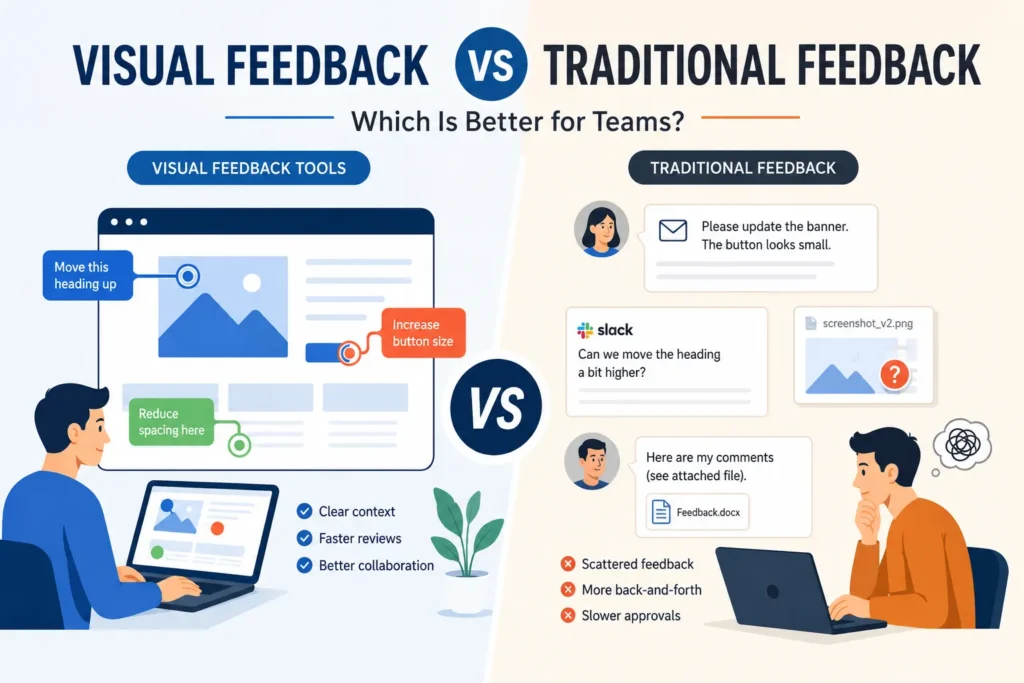
Feedback is supposed to help teams move faster. In reality, it often creates delays.
A designer waits for approvals. Developers ask for clarification. Clients repeat comments that were already shared elsewhere. Eventually, projects slow down not because teams lack skill, but because feedback becomes difficult to manage.
This is where the conversation around visual feedback tools has become more relevant.
Traditional feedback methods such as emails, spreadsheets, meetings, and chat threads have supported collaboration for years. But modern teams now work across websites, videos, designs, campaigns, and digital products where context matters as much as communication.
- Traditional feedback depends on written explanations and discussion
- Visual feedback adds context directly on the work being reviewed
- Teams spend less time clarifying and more time implementing
- Visual workflows often lead to faster approvals and fewer revisions
- The strongest review processes combine structured discussion with visual execution
This article compares visual feedback and traditional feedback to help teams understand which approach creates better outcomes.
Understanding Traditional Feedback
Traditional feedback refers to sharing suggestions, revisions, and approvals through communication channels rather than directly on the asset itself.
Examples include:
- Email threads
- Slack conversations
- Meetings and review calls
- Shared documents
- Project management comments
This approach works because it is accessible and familiar. Anyone can type a comment or schedule a meeting.
The challenge appears when projects become more visual and collaboration becomes more distributed.
Imagine reviewing a website redesign through screenshots and email chains. One person refers to “the second section,” another talks about “the hero banner,” and someone else comments on mobile layout. Suddenly, everyone is discussing different versions of the same thing.
The feedback itself is not wrong. The process creates friction.
What Is Visual Feedback?
Visual feedback changes how teams communicate by attaching comments directly to the work being reviewed.
Instead of writing:
“The CTA placement should change.”
Teams can click directly on the section and comment:
“Move this CTA above the fold to improve visibility.”
That difference seems small but changes the entire review experience.
Modern visual feedback tools allow teams to:
- Leave comments directly on websites
- Annotate PDFs and designs while keeping feedback attached to the exact location
- Review videos visually
- Track revisions and approvals
- Keep conversations tied to versions
This reduces interpretation and creates more actionable feedback.
Visual Feedback vs Traditional Feedback: A Practical Comparison
Choosing between both methods is not about replacing communication. It is about making communication easier.
1. Clarity and Context
Traditional feedback relies heavily on explanation.
A comment like “update spacing” creates follow-up questions:
- Which section?
- Desktop or mobile?
- Increase or reduce?
Visual feedback answers those questions immediately.
Because comments appear exactly where issues exist, teams spend less time translating feedback into actions.
Advantage: Visual Feedback
2. Review Speed
Most delays in review cycles happen before implementation starts.
Traditional review process:
Review → Discussion → Clarification → Revision
Visual review process:
Review → Comment → Revision
By reducing unnecessary conversations, teams move through approvals more efficiently.
This becomes especially noticeable during website launches, campaign approvals, and product reviews.
Advantage: Visual Feedback
3. Collaboration Across Teams
Designers, developers, marketers, and stakeholders often think differently.
Designers focus on usability.
Developers focus on feasibility.
Marketing teams focus on outcomes.
Traditional workflows force people to explain visual ideas using text.
Visual feedback creates a shared reference point.
Everyone sees the same issue and discusses the same version.
Advantage: Visual Feedback
4. Workflow Management and Accountability
Traditional feedback can become difficult to track.
Questions start appearing:
- Which comments were resolved?
- Which version was approved?
- Who owns this revision?
Visual workflows often solve this by keeping discussions attached to the asset.
Many teams reviewing websites and digital projects use platforms like BugSmash because comments, approvals, and revisions stay centralized instead of spreading across tools.
This reduces duplication and makes progress easier to manage.
Advantage: Visual Feedback
5. Simplicity and Ease of Adoption
Traditional feedback still performs well in one important area.
Everyone already knows how to use it.
No training.
No process changes.
Visual systems may require a short adjustment period, especially for teams moving from email-heavy workflows.
That said, most modern platforms are designed to make adoption easier.
Advantage: Traditional Feedback
When Traditional Feedback Still Makes More Sense
Visual collaboration is powerful, but not every conversation needs annotations.
Traditional feedback works better for:
- Strategic planning discussions
- Early-stage brainstorming
- Long-form content reviews
- Leadership approvals
- Business decisions that require discussion instead of execution
The goal should not be replacing conversations.
The goal should be reducing unnecessary conversations.
Why More Teams Are Moving Toward Visual Feedback Tools
Teams rarely search for visual feedback because they want another platform.
They move because existing processes stop scaling.
Common signs include:
- Too many review rounds
- Delayed approvals
- Repeated feedback
- Multiple versions of the same file
- Meetings used only for clarification
Teams also benefit from being able to review visual assets for accuracy before approvals and publishing.
That shift creates faster iterations and better alignment.
How Teams Can Introduce Visual Feedback Without Disrupting Existing Workflows
You do not need to change everything at once.
Start with one review process.
For example:
Step 1: Start by reviewing websites visually and centralizing approvals before expanding across workflows.
Step 2: Require comments to explain:
- What should change
- Why it matters
- Priority level
Step 3: Measure:
- Approval speed
- Number of revisions
- Time spent clarifying feedback
Most teams see improvements quickly because fewer conversations become necessary.
FAQs About Visual Feedback Tools
What are visual feedback tools?
Visual feedback tools allow users to leave comments directly on websites, designs, videos, and other digital assets.
Are visual feedback tools only useful for designers?
No. Product teams, marketers, developers, agencies, and clients benefit from clearer reviews.
Does visual feedback replace meetings?
Not entirely. It reduces meetings that exist only to explain feedback.
Why does visual feedback improve approvals?
Because reviewers show exactly what they mean instead of describing problems broadly.
Is visual feedback better for remote teams?
Yes. Context stays attached to work, making collaboration easier across locations.
Conclusion
Traditional feedback has supported collaboration for years because it is simple and familiar. But as projects become more visual and teams become more distributed, traditional methods often create unnecessary delays.
Visual feedback improves the process by adding context directly where decisions happen. Teams spend less time explaining, fewer revisions get lost, and approvals become easier to manage.
That does not mean traditional feedback disappears. Strategic discussions, planning, and decision-making still benefit from conversation.
But when the goal is execution, iteration, and faster delivery, visual workflows create a clear advantage.
The best teams are not the ones giving more feedback.
They are the ones making feedback easier to understand and act on.